100 Procreate Heart Love Stamps: Elevating Your Digital Art with Care and Precision
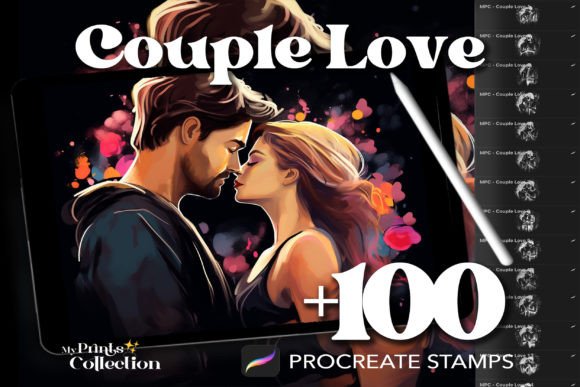
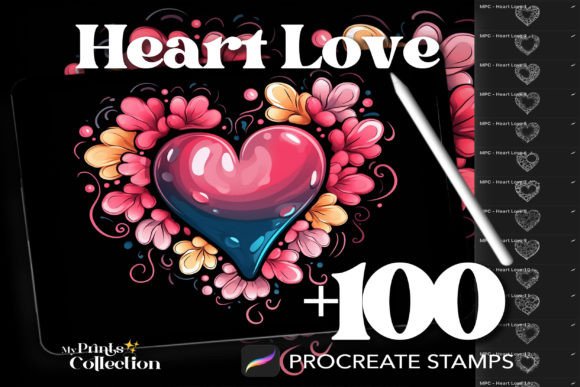
Digital art has evolved from a niche hobby into a powerful medium for storytelling, branding, and personal expression. For creators looking to inject warmth and emotion into their work, the 100 Procreate Heart Love Stamps collection offers a streamlined way to add intricate romantic details without spending hours drawing each curve by hand. Whether you are designing wedding invitations, creating social media graphics, or illustrating children's books, these stamps serve as a foundational tool for efficiency and aesthetic consistency.
However, simply purchasing a brush set does not guarantee a polished final result. Many artists, ranging from enthusiastic beginners to seasoned professionals, overlook critical aspects of how digital stamp sets function within the Procreate ecosystem. Misunderstanding file formats, layer blending modes, or licensing terms can lead to wasted time, compromised image quality, or even legal issues in commercial projects. Let's explore how to get the most out of this resource while avoiding common pitfalls that often plague digital asset usage.
Understanding What You Are Actually Buying
Before diving into the creative process, it is essential to clarify what the 100 Procreate Heart Love Stamps product entails. This is not a physical kit of rubber stamps or ink pads; it is a digital download containing a single `.brushset` file. This distinction is crucial because it dictates how the asset interacts with your iPad and the Procreate app.
A frequent misunderstanding among new users is expecting these stamps to behave like traditional vector shapes that can be resized infinitely without any loss of fidelity. While Procreate handles high-resolution raster images well, there are limits. If you import a stamp designed for 300 DPI print work and scale it up to cover an entire billboard-sized canvas at low resolution, the edges may appear pixelated or jagged. The "crisp and detailed" nature of these heart illustrations relies on using them at appropriate scales relative to your canvas settings.
To avoid this, always check the resolution of your project before importing the stamp set. If you are working on a small social media graphic, these stamps will look sharp and professional. If you are preparing a large-format print, ensure your canvas is set to a high resolution (at least 300 PPI) so the stamp details remain clear when printed.
Common Mistakes in Application and Layering
One of the most significant errors creators make when using stamp sets is applying them with default settings. A flat, opaque heart stamped over a complex background can look pasted-on and artificial, breaking the immersion of your artwork. This happens because many users forget to adjust opacity, flow, or blend modes to integrate the stamp with the underlying layers.
Consider a scenario where you are creating a romantic greeting card. If you stamp a bright red heart directly onto a dark, textured background with 100% opacity, it will look like a sticker rather than part of the scene. A better approach involves lowering the opacity of the stamp layer to around 70-80% and experimenting with blend modes like "Multiply" or "Overlay." This allows the texture of the background to show through the heart, creating a sense of depth and unity.
Furthermore, relying solely on the default color of the stamp can limit your creative potential. The 100 Procreate Heart Love Stamps are designed to be versatile. Do not feel confined to the preset colors. Use the Color Drop feature in Procreate to change the hue of your hearts instantly to match your specific palette. This flexibility is what separates a generic design from a cohesive, custom illustration.
The Importance of Rotation and Variation
Another subtle mistake is using the same stamp orientation repeatedly. When filling a pattern or adding background elements, identical hearts aligned in a grid create a mechanical, robotic feel that contradicts the organic nature of love and romance. To maintain a natural look, utilize the rotation wheel on your Apple Pencil or use the Transform tool to vary the angle of each stamp.
Varying the size slightly between stamps also adds realism. In nature and hand-drawn art, nothing is perfectly uniform. By alternating between larger focal hearts and smaller accent hearts, you guide the viewer's eye more naturally across the composition. This technique transforms a simple stamp application into a dynamic, hand-crafted element.
Navigating Licensing and Commercial Use
For entrepreneurs, freelancers, and small business owners, the legal aspect of using digital assets is non-negotiable. The 100 Procreate Heart Love Stamps listing typically includes an "Unlimited Use" clause for both personal and commercial purposes, but this requires careful reading. A common oversight is assuming that "commercial use" means you can resell the stamp set itself or include the raw `.brushset` file in your own products.
You generally cannot redistribute the digital files. You can use the stamps to create designs—such as t-shirts, posters, or digital planners—and sell those finished goods. However, selling the stamp set as a standalone item or bundling it with other brushes violates standard licensing agreements. Always review the specific terms provided with your download. If the license is unclear, err on the side of caution and contact the creator for clarification. Protecting your business reputation is far more valuable than saving a few minutes of research.
Evaluation Before Purchase
Even with a reputable set like this, it is wise to evaluate your needs before committing. Ask yourself: Does my current workflow require 100 different variations? Sometimes, a smaller, curated selection fits a specific project style better than a massive library that might contain styles inconsistent with your brand.
Check if the preview images show the stamps in context. Look for examples of how the hearts interact with other elements. Are they too busy? Too simple? Understanding the "anatomy" of the designs helps you determine if they align with your artistic vision. Additionally, verify that the file format is compatible with your version of Procreate. While `.brushset` is standard, older versions of the app might struggle with newer features embedded in the file.
Maximizing Efficiency Without Sacrificing Quality
The primary advantage of the 100 Procreate Heart Love Stamps is speed. They allow you to embellish illustrations, create patterns, and add decorative flourishes with just a few taps. However, efficiency should never come at the cost of originality. These tools are meant to enhance your creativity, not replace it entirely.
A balanced workflow involves using the stamps for repetitive elements—like background textures or border accents—while reserving your freehand drawing skills for the main subjects. This hybrid approach ensures your work retains a unique human touch while benefiting from the precision and consistency of digital assets. By treating these stamps as a supportive toolkit rather than a crutch, you maintain the integrity of your art while significantly reducing production time.
In conclusion, integrating the 100 Procreate Heart Love Stamps into your digital art practice can yield beautiful, professional results when done correctly. By paying attention to resolution, layer blending, orientation, and licensing, you avoid the common traps that diminish the quality of digital work. With the right approach, these stamps become more than just a download; they become a reliable partner in expressing love, romance, and creativity in your digital creations.