Metal Dot Scratched Procreate Brush: A Practical Guide for Digital Texturing
In the realm of digital illustration, the difference between a flat rendering and a piece with tangible depth often comes down to texture. The Metal Dot Scratched Procreate Brush is a specialized asset designed to bridge that gap, offering artists a direct method to simulate the complex surface qualities of aged metal, rust, and industrial wear. This tool is not merely an effect; it is a workflow component that integrates seamlessly into the layering process of professional digital art. By understanding its specific mechanics and optimal application points, creators can significantly enhance the realism and tactile quality of their work without resorting to time-consuming manual pixel manipulation.
Understanding the Asset and Its Role in the Creative Process
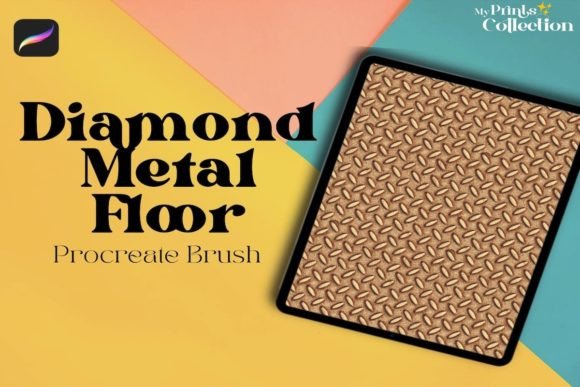
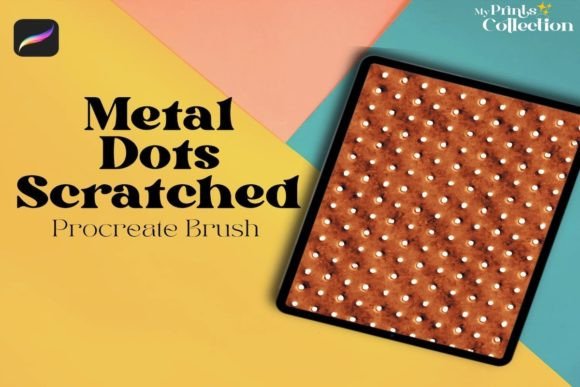
The Metal Dot Scratched Procreate Single Brush functions as a procedural texture generator within the Procreate environment. Unlike standard brushes that rely on simple opacity or flow settings to create variation, this brush utilizes a complex stamp algorithm combined with noise generation. When applied, it deposits a pattern of irregular dots and linear scratches that mimic the natural degradation of metal surfaces. This includes the pitting found on corroded steel, the flaking of paint over iron, and the fine grain of brushed aluminum.
Within a broader creative workflow, this brush serves as a textural anchor. It is typically introduced after the initial blocking-in phase but before final color grading. Its primary role is to break up smooth gradients and solid colors, introducing visual complexity that suggests age, history, and material weight. For professionals working in concept art, character design, or product visualization, the ability to quickly apply a convincing rust or metal texture can save hours of detailing work. It transforms a generic gray shape into a weathered mechanical part or a vintage industrial fixture instantly.
Integration Points in the Artistic Workflow
To maximize efficiency, the Metal Dot Scratched Procreate Brush should be viewed as a modular element that can be deployed at various stages of a project, depending on the desired outcome.
- Pre-Rendering Preparation: Before applying the brush, it is essential to prepare the base layer. The texture works best when applied over a layer with defined lighting and shadow values. If the underlying layer is flat white or black, the texture may appear muddy or indistinct. Artists should establish their core forms and lighting logic first, ensuring that the high-contrast areas are ready to interact with the texture's transparency.
- During the Detailing Phase: This is the most common use case. Once the main subject is painted, the brush is used to add surface imperfections. By adjusting the size and opacity, an artist can create distant background textures or sharp foreground details. The seamless nature of the pattern allows for large strokes across entire surfaces without visible repetition, maintaining the illusion of a continuous material.
- Post-Processing and Refinement: After the initial application, the texture often requires blending. Using blend modes such as "Overlay," "Multiply," or "Soft Light" allows the metal dots and scratches to interact dynamically with the underlying colors. This stage is critical for quality control, ensuring the texture enhances rather than obscures the form.
Technical Compatibility and Software Requirements
Before integrating this tool into a production pipeline, it is vital to verify system compatibility. The Metal Dot Scratched Procreate Brush is exclusively designed for the Procreate App version 5 or higher. This requirement ensures access to the necessary engine features that handle complex brush dynamics, including wet mix, grain, and scatter settings.
It is important to note that this asset is not compatible with Photoshop, Illustrator, or other desktop-based software. Attempting to import the brush file into these programs will result in errors or missing data, as the brush engine architecture differs significantly between mobile and desktop applications. For teams operating in a hybrid environment where some members use Adobe Creative Cloud, this limitation necessitates a specific workflow adjustment. Artists using Procreate must complete their texturing phases on the iPad before exporting assets for further compositing in Photoshop. This separation of duties ensures that the unique characteristics of the brush are preserved during the creation phase.
Optimizing Usability and Organization
Efficiency in digital art relies heavily on how well tools are organized. Upon importing the Metal Dot Scratched Procreate Brush, users should immediately categorize it within a dedicated folder, such as "Textures" or "Surface Details." This prevents the brush from getting lost among hundreds of others and speeds up retrieval during the heat of a creative session. Furthermore, creating custom presets for this brush can streamline the process. Instead of manually adjusting size and spacing for every new project, artists can save variations optimized for different scales—such as a "Fine Rust" preset for small details and a "Heavy Corrosion" preset for large backgrounds.
Consistency is another key factor in long-term use. Because the brush generates a random pattern based on stroke pressure and speed, achieving uniform results across multiple panels or pages requires practice. Users should experiment with the "Streamline" setting in Procreate to control the jitter of the brush. A higher streamline value will produce smoother, more controlled lines, while a lower value will allow for a rougher, more chaotic application that mimics natural decay more authentically.
Practical Implementation Strategies
The true value of the Metal Dot Scratched Procreate Brush lies in its versatility across different artistic disciplines. Whether you are a hobbyist creating personal projects or a professional delivering commercial assets, the implementation strategy remains grounded in practical execution.
For Concept Artists and Designers
In concept art, speed is often as valuable as detail. When designing a sci-fi vehicle or a fantasy weapon, the need to convey material properties quickly is paramount. The brush allows designers to rapidly iterate on surface treatments. Instead of painting individual scratches, a single stroke can define the wear patterns of a tank tread or the rust on a sword hilt. This accelerates the ideation process, allowing more time for refining composition and lighting. The seamless pattern capability ensures that even large-scale environmental pieces maintain a cohesive look without tedious tiling.
For Illustrators and Storytellers
For narrative illustrators, texture adds emotional weight to a scene. A clean, polished metal surface might suggest a futuristic utopia, while the same surface treated with the Metal Dot Scratched Procreate Brush implies a dystopian past or a harsh environment. By controlling the density and color of the texture, illustrators can guide the viewer's eye and reinforce the story's tone. For example, using a reddish-brown hue with the brush on a character's armor can tell a story of battle and survival without a single word being spoken.
For Educators and Content Creators
Educators teaching digital art can use this brush to demonstrate the principles of texture mapping and layer interaction. It serves as an excellent case study for explaining how non-destructive editing works in Procreate. Students can learn to apply the texture on separate layers, adjust blend modes, and mask areas to reveal clean surfaces underneath. This hands-on approach helps learners understand the technical side of digital painting, bridging the gap between theoretical knowledge and practical application.
Quality Control and Long-Term Workflow Integration
As with any powerful tool, there is a risk of overuse. Applying the Metal Dot Scratched Procreate Brush indiscriminately can lead to images that feel cluttered or noisy. Quality control involves knowing when to stop. Effective artists use the texture sparingly, focusing on areas where light would naturally catch imperfections or where shadows would deepen the sense of depth. Regularly zooming out to view the artwork as a whole is essential to ensure the texture supports the overall composition rather than distracting from it.
Furthermore, integrating this brush into a long-term workflow requires periodic review of one's technique. As Procreate updates its engine, new features may alter how existing brushes behave. Staying informed about software updates ensures that the Metal Dot Scratched Procreate Single Brush continues to perform as expected. Additionally, combining this brush with other resources, such as photo references of real-world metal textures, can help refine the application. Observing how rust spreads in reality versus how the brush simulates it allows for more nuanced adjustments, leading to higher-quality outcomes.
Final Thoughts on Execution
The Metal Dot Scratched Procreate Brush represents a convergence of convenience and artistic control. It empowers creators to achieve complex textural effects with minimal effort, freeing them to focus on the broader aspects of their craft. By adhering to the software requirements, organizing the tool effectively, and applying it strategically within the creative process, users can unlock new levels of realism in their digital art. Whether for professional commissions or personal exploration, this brush is a valuable addition to any Procreate toolkit, provided it is wielded with intention and understanding.