Adding Realistic Grit: A Practical Review of the Dirty Ground Procreate Brush
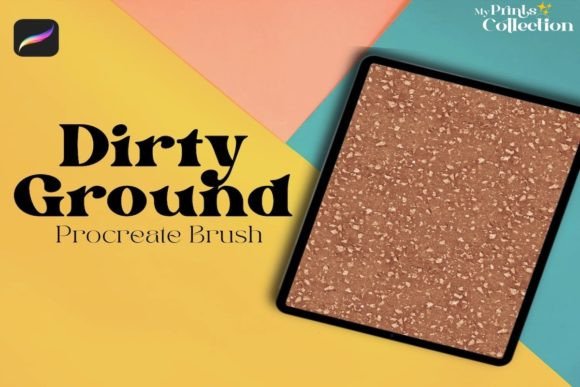
Digital illustration often struggles with one specific aesthetic challenge: achieving authentic texture without resorting to heavy, artificial-looking overlays. For artists working in environments that demand realism—such as concept art for post-apocalyptic settings, historical illustrations, or gritty urban sketches—the cleanliness of vector lines and smooth digital gradients can feel sterile. This is where specialized tools like the Dirty Ground Procreate Brush enter the workflow. It is not merely a stamp; it is a functional asset designed to introduce seamless, organic imperfections into your digital canvas.
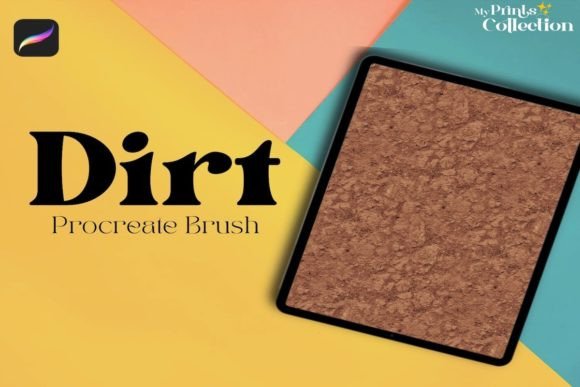
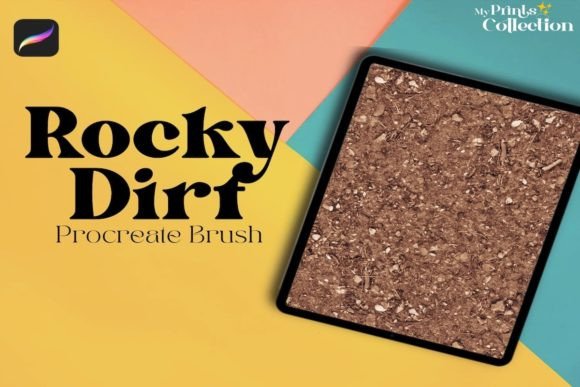
The core value proposition of this single brush lies in its ability to generate dirty or ground-like textures that tile seamlessly. Unlike standard noise brushes that leave obvious edges or repetitive patterns, this tool allows for the creation of expansive surfaces that maintain visual consistency. However, before integrating it into your toolkit, it is essential to understand its specific technical constraints and how it compares to broader texturing methods available to iPad artists.
Understanding the Tool’s Function and Scope
The Dirty Ground Procreate Brush is engineered for a singular purpose: adding depth through simulated dirt, dust, and earth tones. In practical terms, this means it excels at breaking up flat color blocks. When you are painting a character standing on a dusty road or a vehicle covered in mud, applying a uniform brown fill looks unnatural. Using this brush allows you to layer variation that mimics how particulate matter settles in the real world.
What makes this brush distinct from generic texture packs is its focus on seamlessness. Many free or low-cost brushes provide a static stamp. If you drag these across a large background, the repetition becomes glaringly obvious, disrupting the viewer’s immersion. The architecture of this specific brush is optimized to blend edges, allowing artists to paint larger areas of texture without visible tiling artifacts. This is particularly useful for background elements where detail density needs to be high but manual painting would be prohibitively time-consuming.
It is crucial to note the software limitations immediately. This tool requires Procreate App version 5 or higher. It is explicitly not compatible with desktop software such as Photoshop or Illustrator. This restriction defines the user base: it is tailored for mobile-first digital artists who rely on the iPad’s touch interface and Apple Pencil pressure sensitivity. If your workflow involves moving files between desktop and tablet frequently, you must ensure that your texturing phase happens entirely within the Procreate environment.
Comparing Specialized Brushes vs. General Texture Methods
When evaluating whether to invest in a specialized tool like the Dirty Ground Procreate Brush, it is helpful to compare it against alternative approaches commonly used in digital art. Most artists have three primary options for adding grit: photo overlays, custom shape stamps, and procedural noise brushes.
Photo overlays involve importing high-resolution images of concrete, dirt, or rust and adjusting their blend modes. While this method offers photorealism, it lacks flexibility. Scaling a photo overlay often results in pixelation or loss of detail. Furthermore, blending a photo into a painted illustration can create a disjointed style, where the realistic photo clashes with the stylized brushwork of the character or foreground objects.
Custom shape stamps are another common alternative. These are effective for small, isolated details, such as a single mud splatter on a boot. However, they fail when covering large surfaces. As mentioned earlier, the repetitive nature of stamps becomes a distraction. The Dirty Ground Procreate Brush bridges the gap between these two extremes. It offers the controllability of a brush stroke with the complexity of a photo texture, allowing for organic variation that scales well across different canvas sizes.
Procedural noise brushes, which generate random grain based on algorithms, are excellent for subtle film grain or paper texture. However, they often lack the directional flow and clumping characteristics of real dirt. Dirt does not distribute evenly; it accumulates in crevices and thins out on raised surfaces. A specialized ground brush is typically designed with this physical behavior in mind, offering a more convincing simulation of natural accumulation than random noise generators.
Ideal Use Cases and Creative Applications
To determine if this resource fits your needs, consider the types of projects you frequently undertake. The Dirty Ground Procreate Brush is most effective in scenarios requiring environmental storytelling. For example, concept artists designing levels for video games often need to quickly block out terrain textures. Instead of painting every stone and patch of soil manually, this brush can establish a base layer of grime that suggests wear and age.
Another strong application is in character design, specifically for props and vehicles. A pristine spaceship or a clean knight’s armor may look technically proficient but narratively empty. Adding layers of ground texture implies history. It suggests that the object has traveled, fought, or existed in a harsh environment. The brush allows for controlled application, meaning you can target specific areas—like the lower half of a cloak or the wheel wells of a car—where dirt naturally gathers.
Illustrators working in editorial or book cover art also benefit from this tool. Textures add tactile quality to digital prints. A cover featuring a rugged landscape gains emotional weight when the ground feels tangible rather than abstract. The seamless nature of the brush ensures that even full-bleed backgrounds remain visually cohesive, avoiding the "patchwork" look that plagues lesser texture tools.
Limitations and Decision Factors
While the tool offers significant advantages, it is not a universal solution. Artists who specialize in clean, vector-style graphics, cel-shaded anime, or minimalist flat design will likely find little use for a dirty ground texture. In these styles, clarity and sharp lines are paramount, and adding grit can muddy the composition and reduce readability.
Furthermore, the learning curve involves mastering opacity and flow settings. Because the brush is designed to build up texture, using it at full opacity can result in a heavy, overwhelming black or brown mass. Successful integration requires a light hand, often utilizing low-flow strokes to build up density gradually. Artists accustomed to "one-click" solutions may need to adjust their technique to leverage the brush’s full potential.
Compatibility remains a hard constraint. If you collaborate with teams using Adobe Creative Cloud, you cannot share this native Procreate file directly as a working asset. You would need to rasterize the texture into a PNG or JPEG before exporting, which limits editability for your collaborators. This workflow friction is a critical factor for professional studios that rely on cross-platform pipelines.
Making an Informed Choice
Choosing the right texturing tool depends on your artistic goals and technical environment. If you are an iPad-based artist using Procreate version 5 or above, and your work benefits from organic, weathered aesthetics, the Dirty Ground Procreate Brush is a highly efficient addition to your library. It saves time compared to manual painting and offers more control than static photo overlays.
However, if your work is primarily desktop-based, or if your style leans toward clean, polished, and geometric visuals, this tool may not justify the investment. Always evaluate your current workflow bottlenecks. If you find yourself spending hours trying to make digital dirt look natural, or if your background textures feel repetitive and flat, this specialized brush addresses those specific pain points. For those seeking a balance between speed and authenticity in their environmental art, it represents a practical, focused solution rather than a gimmick.
Ultimately, the value of any digital brush lies in its integration into your personal style. It is recommended to test the brush in a sandbox file, experimenting with different blend modes such as Multiply or Overlay, to see how it interacts with your existing color palettes. By understanding both its capabilities and its constraints, you can decide whether it aligns with your creative vision and technical requirements.