Rocky Dirt Ground Procreate Brush Guide
Adding realistic texture to digital illustrations can be the difference between a flat, cartoonish image and a piece of art that feels tangible and grounded. For artists working on iPads, finding the right tool to simulate natural elements like soil, gravel, or eroded stone is often a challenge. This is where the Rocky Dirt Ground Procreate Brush becomes an essential asset in your digital toolkit. It is designed specifically to bridge the gap between smooth digital strokes and the gritty, organic imperfections found in nature.
The primary appeal of this tool lies in its simplicity and effectiveness. Unlike complex brush sets that require extensive tweaking, this single brush is engineered to deliver immediate results. It allows you to paint seamless patterns that mimic dirty or ground textures without the need for manual layering of multiple images. Whether you are creating background environments for character designs or adding weathered details to architectural sketches, this brush provides a consistent and reliable way to introduce earthiness into your work.
Understanding the Texture and Purpose
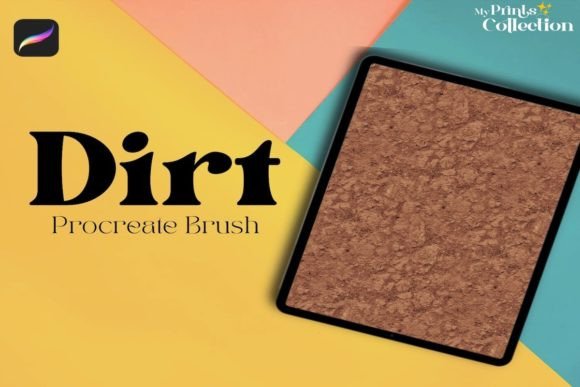
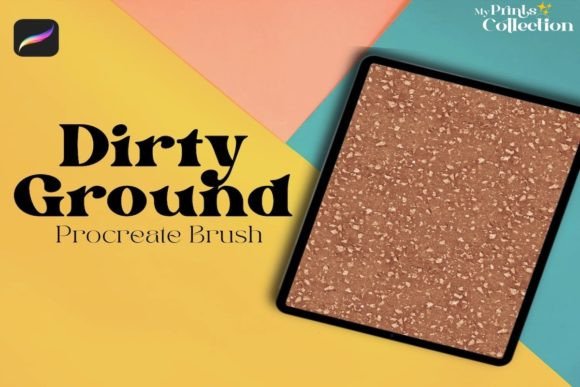
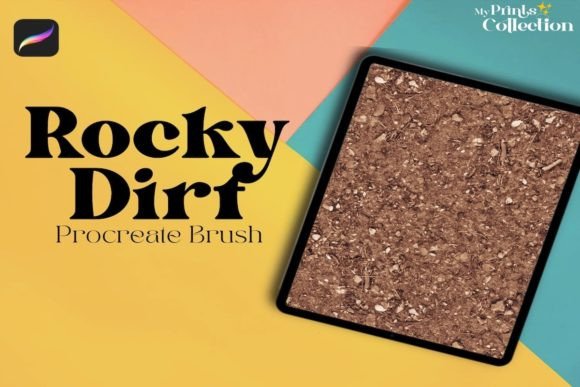
At its core, the Rocky Dirt Ground Procreate Brush is a specialized stamp or pattern brush. Its main purpose is to replicate the visual noise and irregularity of real-world ground surfaces. When you drag this brush across your canvas, it does not just lay down a solid color; it deposits a complex arrangement of particles that resemble small rocks, dust, and compacted dirt. This creates a sense of depth and materiality that is difficult to achieve with standard round or square brushes.
One of the most significant advantages of using this specific brush is its ability to create seamless patterns. In digital art, a seamless texture is one that can be tiled repeatedly without visible edges or breaks. This is crucial for filling large areas, such as the floor of a dungeon in a fantasy game or the surface of a path in a landscape painting. By using a brush designed for this purpose, you save hours of time that would otherwise be spent manually cloning and blending texture photos.
The value of this tool extends beyond mere convenience. It encourages a more intuitive workflow. Instead of searching through stock photo libraries for the perfect dirt image, importing it, adjusting its opacity, and masking it to fit your shape, you can simply paint the texture directly onto your layer. This direct interaction gives you greater control over the density, direction, and placement of the texture, allowing for a more organic and artistic result.
Practical Applications for Creators
The versatility of the Rocky Dirt Ground Procreate Brush makes it suitable for a wide range of creative projects. Here are several contexts where this tool can significantly enhance your workflow:
- Concept Art and Environment Design: Concept artists often need to quickly visualize terrains. This brush allows for rapid blocking-in of rocky paths, barren landscapes, or cave floors, helping to establish the mood and setting early in the design process.
- Game Asset Creation: For indie game developers using Procreate to draft sprites or backgrounds, having a seamless dirt texture is invaluable. It ensures that when the texture is repeated in the game engine, it looks natural and continuous.
- Digital Scrapbooking and Collage: Hobbyists who enjoy digital collage can use this brush to add aged, gritty effects to their compositions. It helps blend disparate elements together by providing a unifying textural base.
- Typography and Lettering: Graphic designers can use the brush to add a distressed, earthy feel to hand-lettered quotes or logos. Applying the texture subtly over letters can make them appear as if they are carved from stone or covered in dust.
For beginners, the learning curve is minimal. You do not need to understand advanced blending modes or complex layer masks to get started. Simply select the brush, choose a color that matches your desired soil tone—such as ochre, sienna, or gray—and start painting. The brush handles the distribution of the "rocks" and "dirt" automatically, ensuring that the result looks natural rather than repetitive.
Technical Requirements and Compatibility
Before purchasing or downloading any digital asset, it is crucial to ensure it works with your current setup. The Procreate Rocky Dirt Ground Single Brush is optimized specifically for the Procreate ecosystem. To use this brush effectively, you must have the Procreate App version 5 or higher installed on your iPad. Older versions of the app may not support the specific brush engines or file formats used by this tool, leading to errors or poor performance.
It is important to note a key limitation: this brush is not compatible with Photoshop or Illustrator. While many artists work across multiple platforms, this particular file is formatted exclusively for Procreate’s proprietary brush engine. If you primarily work in Adobe Creative Cloud, this tool will not integrate into your workflow. However, for those fully invested in the iPad art ecosystem, this specialization ensures optimal performance and fidelity.
What is included in the package is straightforward: the single brush file itself. There are no hidden fees or additional software requirements beyond the Procreate app. This simplicity is part of its charm, allowing you to import it and start creating immediately without navigating complicated installation procedures.
Considerations for Best Results
To get the most out of the Rocky Dirt Ground Procreate Brush, consider a few practical tips. First, experiment with opacity. Painting at 100% opacity can sometimes look too dense or heavy. Lowering the opacity to 30–50% allows you to build up the texture gradually, creating a more subtle and realistic effect. This technique is particularly useful when adding dirt to existing illustrations without overpowering the underlying details.
Second, vary your stroke speed and pressure. Although it is a pattern brush, Procreate’s pressure sensitivity can still influence how the texture appears. Lighter pressure may result in a sparser distribution of rocks, while heavier pressure creates a denser, muddier look. Combining different pressures within a single stroke can mimic the natural variation found in real terrain.
Finally, think about color variation. Real dirt is rarely a single flat color. Try using the brush with slightly different shades of brown, gray, or red on separate layers. Blending these layers lightly can create a richer, more dynamic ground texture that captures the complexity of natural soil.
In summary, the Rocky Dirt Ground Procreate Brush is a focused, high-utility tool for digital artists seeking to add realistic earthy textures to their work. Its ease of use, combined with its ability to create seamless patterns, makes it a valuable addition for both beginners and professionals. By understanding its specific compatibility requirements and experimenting with application techniques, you can elevate the realism and depth of your digital art efficiently.